How I Run a 7-Agent AI Team for My Indie Game Studio
A practical account of building and running Nebula — an open-source platform where 7 AI agents handle daily operations for a real indie game studio. Architecture decisions, what works, what doesn't, and what I learned.
TL;DR — Nebula, an open-source self-hosted platform, runs 7 specialized AI agents that handle daily operations for a solo indie game studio. Its soul/body architecture stores each agent’s identity in SQLite while spawning disposable CLI processes (Claude Code, Codex, Gemini) as compute, enabling persistent memory, one-click backend swaps, and @mention inter-agent routing.
The Problem Nobody Talks About
Every AI coding tool I’ve used has the same assumption baked in: one human, one agent, one session. Open a terminal, start a conversation, get help, close the terminal. Session gone. Start over tomorrow.
That works fine when you’re using AI as a fancy autocomplete. It stops working when you’re a solo founder trying to run a game studio.
I’m building a roguelite deckbuilder board game hybrid in Godot. On any given day, I need to track competitor launches on Steam, monitor CI builds across 15+ repositories, check if my corporate filings in Hong Kong are up to date, review what changed in the Godot engine this week, and figure out whether a $25M Kickstarter campaign changes my co-production strategy. I was doing all of this manually, context-switching between tabs, and losing hours to work that wasn’t actually making my game better.
So I started asking: what if I had a team? Not human employees — I can’t afford those — but AI agents that each owned a domain, accumulated knowledge over time, and could talk to each other?
That’s how Nebula started.
Why Existing Tools Didn’t Work
I tried the obvious things first. Running multiple Claude Code sessions in different terminals. Using LangChain agents. Looking at CrewAI and AutoGen.
The problems were consistent:
State is tied to the process. If Claude Code crashes (and it does), your conversation history is either gone or locked in a session file you can’t easily compose with other agents’ state. There’s no shared representation of what an agent knows.
No persistent identity. Every session starts from zero. You can write a CLAUDE.md file, but the agent doesn’t accumulate knowledge between sessions — it doesn’t remember that last week’s CI failure was caused by a GDGAS API change, or that CMON’s stock got suspended, or that your paper was submitted to Zenodo.
No inter-agent communication. If my market research agent finds something that affects my finance agent’s tariff model, there’s no mechanism for them to coordinate. I’d have to manually copy context between sessions.
Single backend lock-in. Want to try OpenAI’s Codex CLI for one agent while keeping Claude Code for another? Start from scratch.
The Architecture: Soul/Body Separation
The core idea in Nebula is simple — separate what an agent is from what an agent runs on.
The soul is everything that makes an agent who it is: its name, role description, complete message history, custom skills, secrets (API keys, tokens), memory entries, and MCP server configurations. All of this lives in a SQLite database. The agent’s identity is a set of database rows, not a process.
The body is a disposable CLI process — Claude Code, OpenCode, Codex CLI, or Gemini CLI — that receives a context-appropriate projection of the soul at spawn time, executes a task, and returns. If the body crashes, the soul is untouched. Spin up a new body, inject the same context, continue.
This isn’t a novel concept in distributed systems — separating state from compute is well-established. The contribution is applying it to LLM agent orchestration and seeing what patterns it enables.
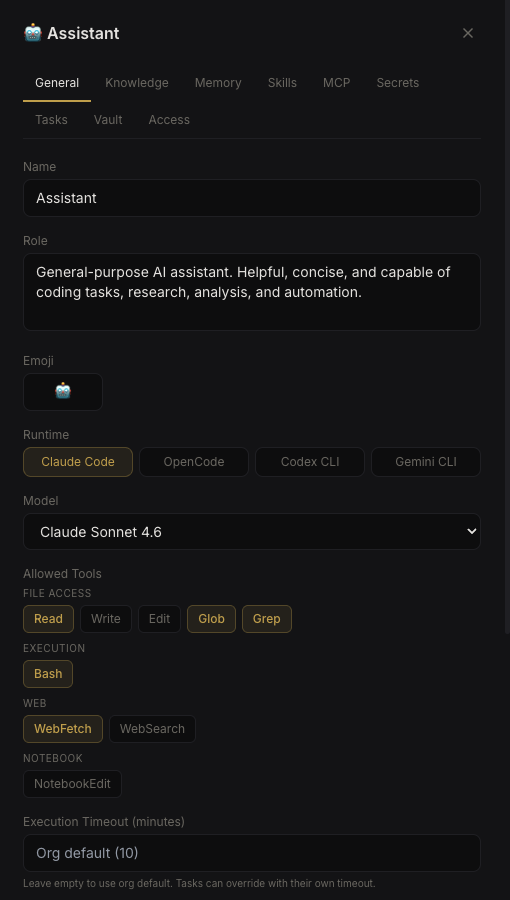 Each agent’s identity — role, runtime, model, allowed tools — is configured in the UI and persisted to SQLite.
In practice, it means:
- Agents survive container restarts without losing anything
- I can swap an agent’s backend from Claude Code to Gemini CLI in one click — no migration
- Multiple agents can run concurrently on different tasks without interfering with each other
- The orchestrator can compose context intelligently — an agent working on Project A gets Project A’s knowledge, not Project B’s
The 7 Agents
Here’s what actually runs every day:
| Agent | Role | What It Does |
|---|---|---|
| Secretary | Chief of Staff | Aggregates morning/evening briefings from all agents, compiles dev activity from Gitea/TeamCity, manages email, coordinates across agents, writes weekly summaries |
| Marketing | Market Intelligence | Tracks competitor launches, Steam trends, crowdfunding campaigns, publisher deals, player sentiment. Produces daily scan reports |
| Monetization | Commercial Strategy | Monitors pricing strategies, platform fee changes, crowdfunding benchmarks, distribution deal structures |
| Finance | Compliance & Legal | Tracks Hong Kong corporate compliance deadlines, reviews contracts, monitors regulatory changes, flags urgent filings |
| RnD | Tech Research | Researches Godot engine updates, evaluates plugins, tracks GDC talks, reviews CI/build status across all repos |
| BM Pacman | Windows Build Server | Headless Windows machine running TeamCity builds. Compiles, tests, packages projects |
| Mac M3 Max | macOS Workstation | Intermittent macOS builds and tests, Xcode projects, development tasks |
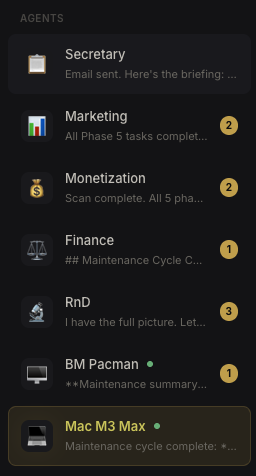 The agent sidebar — each agent shows its latest activity and unread message count.
The first five are “thinking” agents — they research, analyze, and produce reports. The last two are “doing” agents — physical machines that run builds via Nebula’s remote agent feature (WebSocket bridge to a Tauri desktop app).
What a Typical Day Looks Like
6:00 AM — Cron tasks fire. Marketing, Monetization, RnD, and Finance each run their morning intelligence scan. They search the web, check internal tools (Gitea, TeamCity), and produce structured reports with findings, relevance analysis, and action items. Each report is emailed to me with full HTML formatting.
6:30 AM — Secretary’s cron fires. It reads all four agent scan emails, checks for new Gitea commits and TeamCity builds, reviews any peer agent messages, and compiles everything into a single morning briefing. The conversation brief goes into the chat; the full detailed report goes to my email.
Throughout the day — I interact with agents as needed. If I want Marketing’s take on a competitor launch, I talk to Secretary and it pulls Marketing into the conversation with @Marketing. The platform handles context composition — Marketing receives the last N messages of relevant context, processes the request, and the response flows back through Secretary.
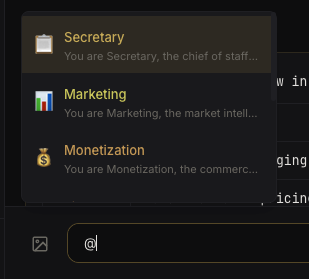 Typing
 @ brings up agent autocomplete — the platform handles routing and context injection.
Ad hoc — When I push code, TeamCity triggers builds on BM Pacman. If a build fails, RnD picks it up in the next scan and flags it. If the failure is related to a plugin upgrade, Secretary coordinates between RnD (who understands the technical issue) and the relevant agent (who tracks the broader impact).
Evening — Another scan cycle. Shorter — focused on what changed since morning. Secretary sends an evening briefing.
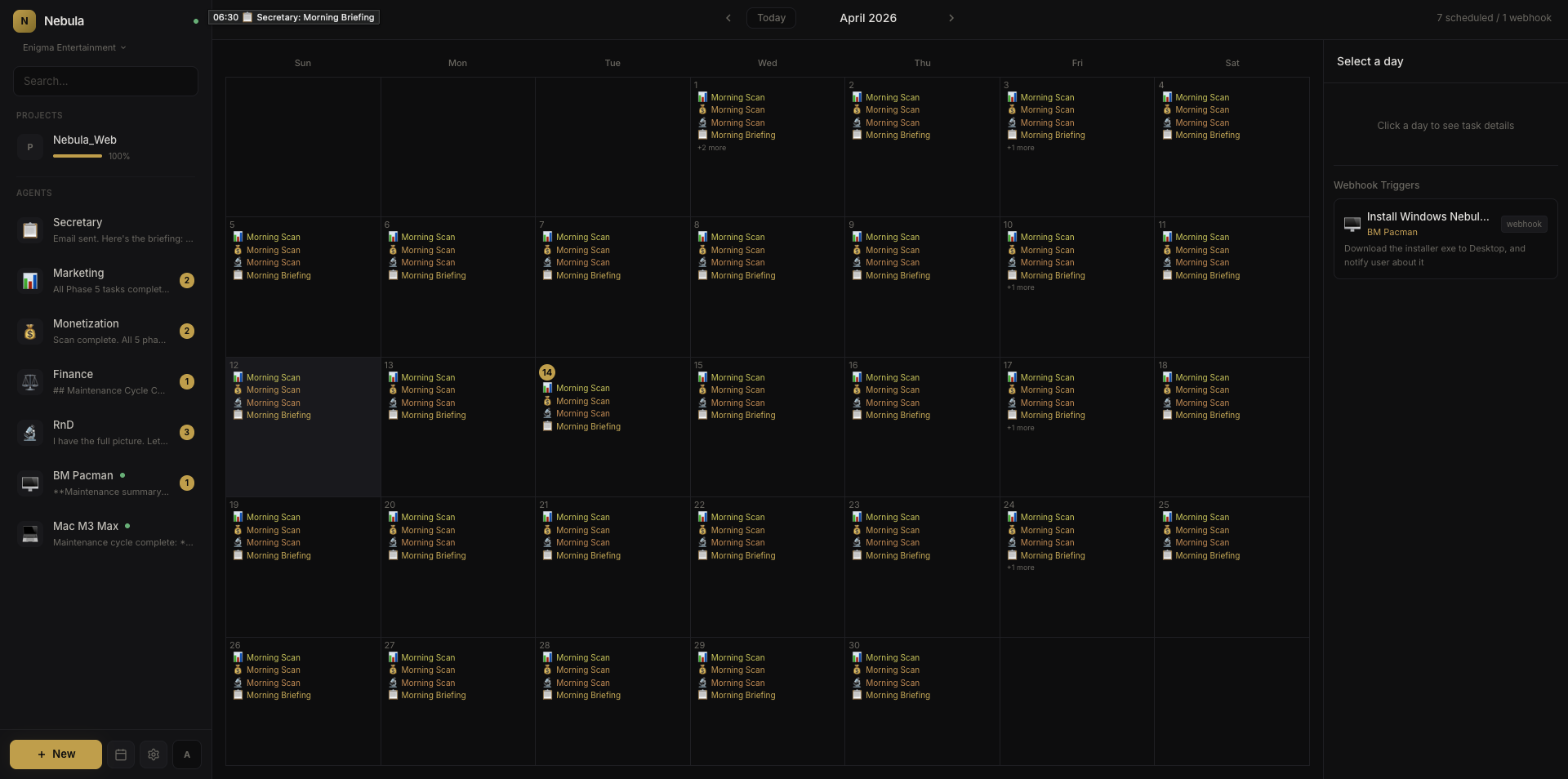 The task calendar — every cron job across all agents, visible at a glance.
What I Actually Learned
Context windows are the real constraint
Not cost, not speed — context. Each agent’s system prompt (role + skills + knowledge + memory) ranges from 20–100 KB. When you add conversation history on top, you’re regularly pushing 50–80% of the context window before the agent even starts thinking about your question. This is why soul/body separation matters: the orchestrator can compose context intelligently, including only what’s relevant to the current task, rather than stuffing everything in.
Agents are bad at knowing what they don’t know
My Marketing agent once confidently reported a Steam Next Fest deadline that was wrong by two months. It had picked up an outdated date from a cached web result and presented it as fact. I only caught it because I knew the real date. This is the fundamental limitation — agents sound authoritative whether they’re right or wrong. The mitigation: cross-checking between agents (Secretary validates Marketing’s claims against RnD’s data) and requiring source links for every finding.
The 80/20 of agent autonomy
About 80% of what my agents produce is genuinely useful — it saves me hours of manual research and monitoring. The other 20% needs correction or is noise. The key insight: design for the 20%. Make it easy to correct agents (persistent memory means corrections stick), make it easy to spot errors (require sources, use structured output), and never let agents take irreversible actions without confirmation.
Cost is manageable but not free
Running 7 agents with daily scans, ad-hoc conversations, and inter-agent routing costs roughly what you’d expect from heavy Claude API usage. The session compaction feature (summarizing long conversations to stay within context limits) helps significantly. The biggest cost driver isn’t the scans — it’s the inter-agent routing, where context gets duplicated across multiple agent invocations.
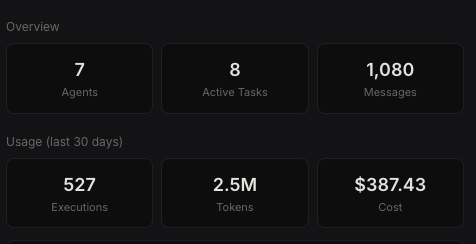 Real usage numbers from my deployment — 7 agents, 30 days.
The agents improve themselves
This sounds like hype, but it’s literally true in a mundane way. Agents write their own CLAUDE.md files (persistent instructions), accumulate memory entries, and refine their skills based on feedback. My Secretary agent’s CLAUDE.md started as a few lines and is now a detailed operational document with watchlists, flags, deadlines, and editorial guidelines — all written by the agent based on corrections I’ve made over weeks.
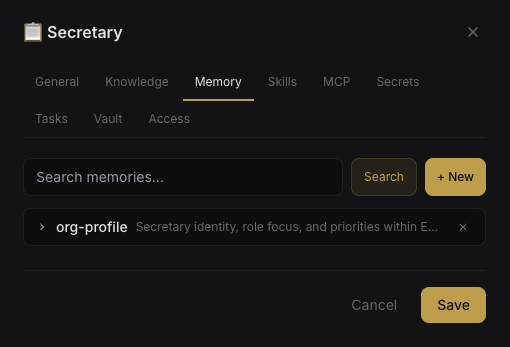 Persistent memory — agents accumulate knowledge entries that survive across sessions.
The Paper
I wrote up the architecture formally: Nebula: Decoupling Agent Identity from Runtime in Multi-Agent LLM Systems. It covers the data model, context composition pipeline, @mention routing, concurrent execution with context-keyed isolation, and the trade-offs.
It’s a systems/engineering paper, not a benchmarks paper. The contribution is the architectural pattern and the documentation of what it enables in practice.
Try It
Nebula is open source (AGPL-3.0), self-hosted, and runs as a single Node.js container with SQLite.
1
2
git clone https://github.com/reforia/Nebula.git
cd Nebula && npm install && npm start
Or with Docker on Linux:
1
2
3
4
git clone https://github.com/reforia/Nebula.git
cd Nebula && cp .env.example .env
echo "NEBULA_ENCRYPTION_KEY=$(openssl rand -hex 32)" >> .env
docker compose up -d
You need at least one CLI runtime installed (Claude Code, OpenCode, Codex CLI, or Gemini CLI). The setup wizard walks you through creating your first agent.
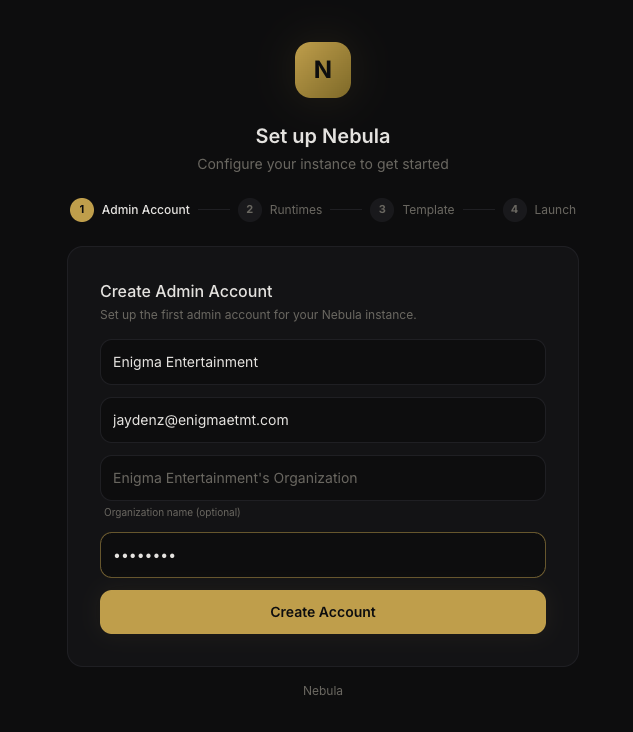 The setup wizard guides you through account creation, runtime detection, and first agent setup.
GitHub: reforia/Nebula
This isn’t a polished SaaS product — it’s a tool I built because I needed it, and I’m sharing it because the architecture might be useful to others building multi-agent systems. Issues, feedback, and contributions welcome.
Cite this post
Jayden Zhang. “How I Run a 7-Agent AI Team for My Indie Game Studio.” Jayden Zhang’s Blog, April 18, 2026. https://www.jaydengames.com/posts/how-i-run-a-7-agent-ai-team/
BibTeX
@misc{how-i-run-a-7-agent-ai-team2026,
  author = {Jayden Zhang},
  title  = {How I Run a 7-Agent AI Team for My Indie Game Studio},
  year   = {2026},
  url    = {https://www.jaydengames.com/posts/how-i-run-a-7-agent-ai-team/},
  note   = {Jayden Zhang’s Blog}
}